HTML Block Interactive Tool Kit
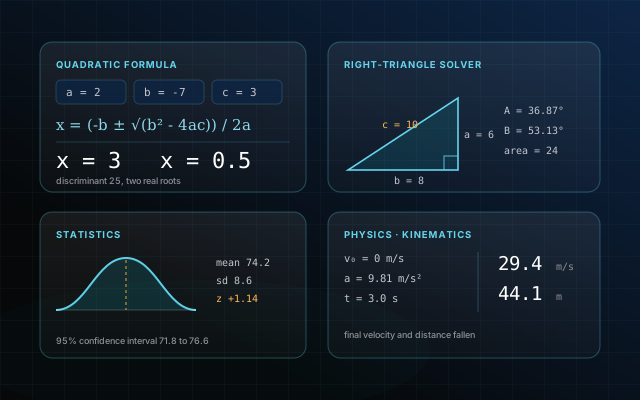
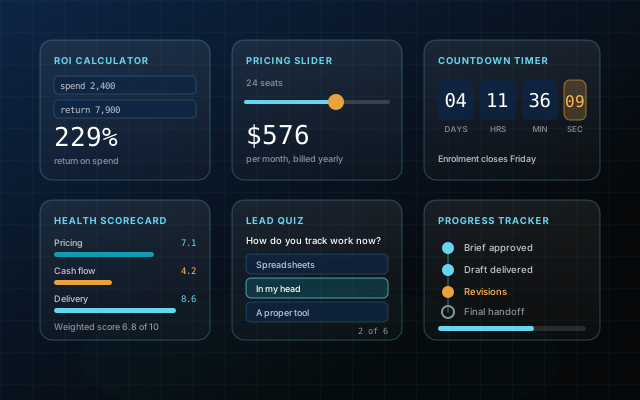
Fifteen interactive blocks. Type /html in Notion, paste, done.
Fifteen interactive blocks, each one a single self-contained HTML file. In Notion you type /html, choose the HTML block, and paste the file's contents; it renders live straight away. On a website, paste it into the page. Near the top of every file is a plain-English CONFIG section where you change the labels, numbers, colours and links without going near the logic.
What breaks without it
Putting something interactive on a Notion page used to mean paying a monthly fee to a widget service, or hosting a page somewhere else and embedding it by URL. Either way you were renting a dependency that could be repriced, rate-limited or switched off, and your page broke when it was.
Notion now renders HTML natively, so the service in the middle is no longer needed. The only thing missing is the HTML itself, built properly. That is what this is.
What you get
- Type /html in Notion, paste the file, and it renders live. No hosting, no embed service, no account
- A plain-English CONFIG section at the top of every file for labels, numbers, colours and links
- The same file works pasted into a website, so you build once and use it in both places
- Nothing loads from another company, so there is nothing that can be switched off later
- One file per block, so you can hand a single file to a client and be done
What's inside
Questions people ask
What is the difference between Starter, Pro and Agency?
Starter is blocks 01 to 08, the eight that most pages need. Pro is all fifteen. Agency is all fifteen plus a licence that lets you repackage them and sell them on. The files are identical across tiers; you are choosing how many you get and how widely you may use them.
How do I get one of these into Notion?
Download the block, then on your Notion page type /html, choose the HTML block, and paste the file's contents in. It renders immediately. There is nothing to host and no third-party embed service involved.
Do I need to know how to code?
No. Every file has a CONFIG section near the top, written in plain English, holding the labels, numbers, colours and links. Change those and leave the rest alone.
Can I use these on a normal website too?
Yes. The same file works pasted into a web page. Nothing about it is Notion-specific.
Will these keep working in a year?
Yes. No external service is involved, so there is nothing that can be shut down, rate-limited or repriced. The file you download is the whole block.
Can I use them in client work?
Pro covers your own projects, including commercial ones. If you are handing files to clients as part of what you sell, or repackaging them, take Agency.
Can I upgrade later?
Yes. Buy the higher tier and send me the receipt from the first one, and I'll refund the difference.